
Blur Photo Face & Background
Ikke gjort krav påBlur Photo lets you blur the background, hide faces, or add a lens blur to any picture…
Af MOBILECRAFT LLC · Foto og videoDerfor forventer vi det: Clear value, a strong on-device privacy promise, and useful face and background blur tools make this a promising debut.



Kort fortalt
Blur Photo Face & Background is a photo-video app for blurring a picture's background, hiding faces, pixelating private details, or adding effects like lens blur and motion blur. It suits people who want to soften a shot or censor parts of it before sharing. One point stands out: all edits happen on the device, and nothing is uploaded.
Resumé fra Debuts, baseret på app-siden i App Store.Om appen
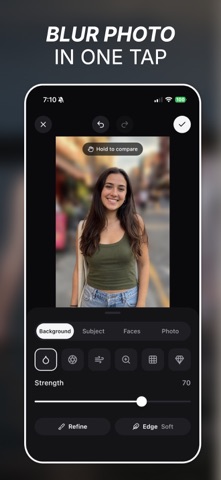
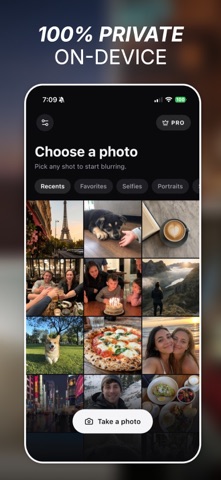
Blur Photo lets you blur the background, hide faces, or add a lens blur to any picture in one tap. Pick a photo, choose what to blur, save. Done.
WHY PEOPLE USE BLUR PHOTO
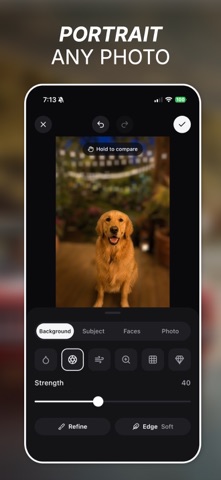
• Make your subject pop Blur Photo finds the person or object in your shot and softens everything behind it. You get the look of a portrait lens from any phone photo, even old ones.
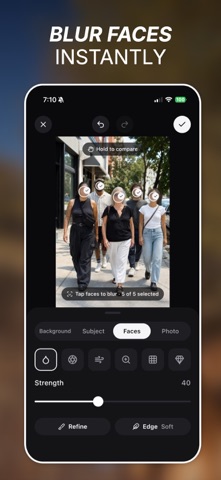
• Hide faces before you post Blur the faces of strangers, kids, or friends who'd rather stay offline. Blur Photo finds every face, and you tap to choose which ones get hidden.
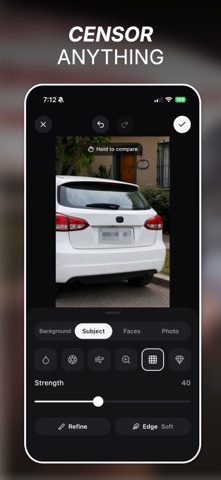
• Cover what shouldn't be seen Use Mosaic to pixelate license plates, house numbers, or private info in screenshots. Then share without worrying.
• Your photos never leave your phone Every edit happens on your device. Nothing is uploaded, ever.
WHAT YOU CAN DO
Choose what to blur • Background – keep the subject sharp and blur the rest • Subject – blur the person or object instead • Faces – blur one face or all of them • Whole photo – blur the entire picture
Pick an effect • Blur – a clean, soft blur • Lens blur – that creamy, out-of-focus camera look • Motion blur – add speed. Set the direction with a dial or a swipe • Zoom blur – a burst of movement from the center • Mosaic – pixelate anything you want hidden • Crystal – a frosted-glass look for something different
Get it just right • Strength slider to go from subtle to heavy blur • Sharp, soft, or softer edges • Refine brush to paint in or erase exactly what gets blurred • Hold to compare with the original • Undo, redo, and pinch to zoom for detail work
Save and share • Save high-quality photos straight to your gallery • Share to Instagram, WhatsApp, TikTok, or anywhere else • Take a new photo right from the app • Available in 30+ languages
FREE AND PRO
Brugernes bedømmelse
Log ind for at bedømme appen. Det vigtigste er, at du er ærlig.
Ingen bedømmelser endnu. Har du prøvet den? Giv den første bedømmelse.
Flere apps i kategorien Foto og video
De bedste nye apps i kategorien Foto og video denne uge Zoetrope ViewerWatch your zoetrope records and slipmats animate through your camera, or live on your…
 Migumento · QR photo albumOne album for every guest
 SwipeshineSwipeshine turns photo cleanup into one gesture
 Pocket Film: Vintage CameraPocket Film turns your phone into the back of a real film camera
 PlanIt Earth: VR Photo PlannerFor landscape, travel, nature, cityscape, night, time-lapse, star-trail, Milky Way and…
 TonalierYour photos now have an editor