
BoothMode
Not claimedTurn your iPhone or iPad into a polished event photo booth with BoothMode
By Majatino LLC · Photo and video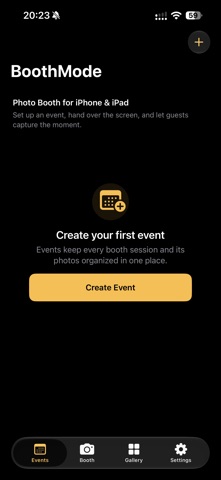


In short
BoothMode turns an iPhone or iPad into a self-service event photo booth for weddings, parties, and corporate gatherings. The host sets up an event and hands the device to guests, who capture, review, retake, and save their photos. Photos stay on the device unless the user chooses to save or share them, and no account is required.
Summary by Debuts, based on the App Store listing.About
Turn your iPhone or iPad into a polished event photo booth with BoothMode. BoothMode is designed for weddings, parties, celebrations, corporate events, and anywhere you want a simple self-service photo booth. Create an event, choose your booth settings, hand the device to your guests, and let BoothMode guide them through a clean capture, review, retake, and save experience. FREE FEATURES • One saved event • Unlimited captures during the event • Front and rear camera support • Countdown timers and multi-photo sessions • Photo review and retake • Basic filters, layouts, backdrops, gallery, and local photo management • iPhone and iPad support BOOTHMODE PRO — ONE-TIME PURCHASE Unlock unlimited events, custom backdrops, additional templates and filters, advanced booth controls, saved originals, full gallery tools, bulk sharing/export, and clean output without BoothMode branding. LOCAL-FIRST BY DESIGN Your event photos stay on your device unless you choose to save or share them. BoothMode does not require an account to run a local booth.
People rate it
Sign in to rate this app. Honest is what counts.
No ratings yet. Tried it? Be the first to rate it.
More Photo and video apps
Best new Photo and video apps this week Zoetrope ViewerWatch your zoetrope records and slipmats animate through your camera, or live on your…
 Migumento · QR photo albumOne album for every guest
 SwipeshineSwipeshine turns photo cleanup into one gesture
 Pocket Film: Vintage CameraPocket Film turns your phone into the back of a real film camera
 PlanIt Earth: VR Photo PlannerFor landscape, travel, nature, cityscape, night, time-lapse, star-trail, Milky Way and…
 TonalierYour photos now have an editor