
Clay Director
Not claimedClay Director is a 3D previsualization workspace for planning shots on your Mac
By 国滨 吕 · Photo and video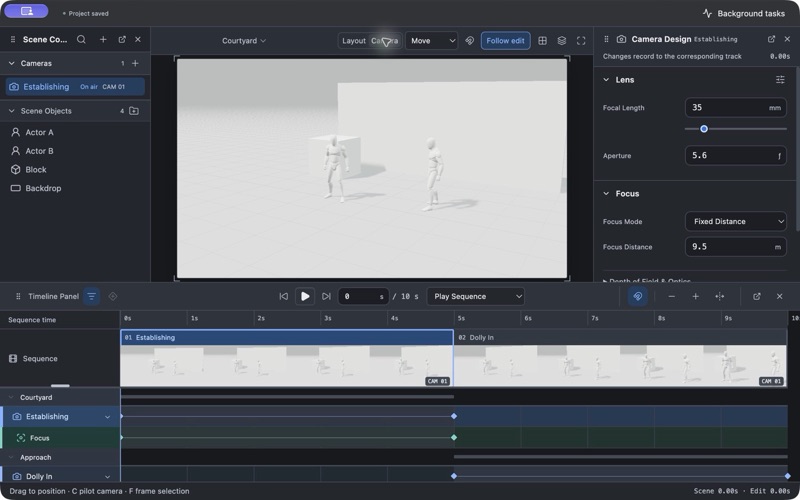
About
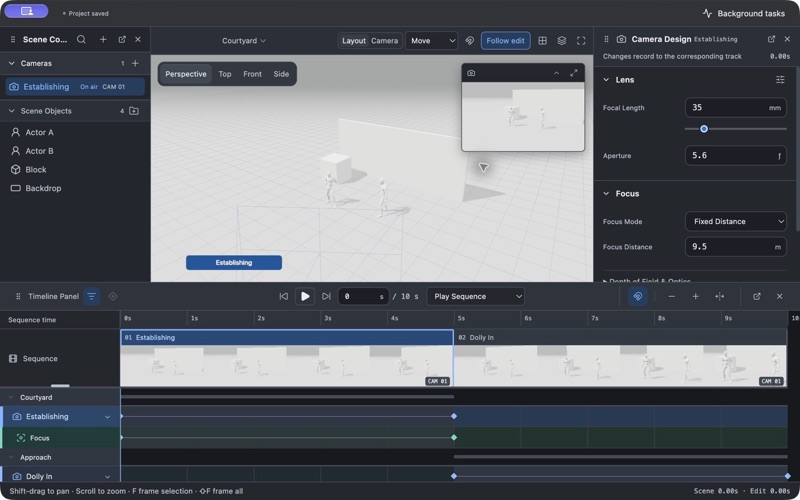
Clay Director is a 3D previsualization workspace for planning shots on your Mac. Arrange simple clay characters and props, compose through a camera while editing in a separate layout view, and animate camera movement and object blocking with keyframes.
Design focus pulls, dolly zooms and camera shake. Organize shots in a filmstrip sequence and refine timing in animation tracks. Export a complete sequence, selected shots, or separate MP4 files for every shot, with optional reference images and camera information for your creative workflow.
Projects are stored locally. The interface supports English, Simplified Chinese and Traditional Chinese, with dark, light and system appearance.
An active subscription is required for editing and video export. Existing projects remain available to open, view and save after access expires. Eligible new subscribers can receive the introductory trial displayed in Apple’s purchase confirmation. Subscriptions renew automatically unless cancelled through Apple’s subscription settings.
Clay Director creates animation references; it does not generate AI videos or provide AI generation credits.
Privacy: https://ftftxpnvtk-tech.github.io/clay-director-support/privacy.html Terms of Use: https://www.apple.com/legal/internet-services/itunes/dev/stdeula/
People rate it
Sign in to rate this app. Honest is what counts.
No ratings yet. Tried it? Be the first to rate it.
More Photo and video apps
Best new Photo and video apps this week Zoetrope ViewerWatch your zoetrope records and slipmats animate through your camera, or live on your…
 Migumento · QR photo albumOne album for every guest
 SwipeshineSwipeshine turns photo cleanup into one gesture
 Pocket Film: Vintage CameraPocket Film turns your phone into the back of a real film camera
 PlanIt Earth: VR Photo PlannerFor landscape, travel, nature, cityscape, night, time-lapse, star-trail, Milky Way and…
 TonalierYour photos now have an editor