
Linevo Trace
Not claimedLinevo Trace turns any image into a beautiful, traceable guide — helping you create art…
By Smit Savaliya · GamesWhy we expect it: Linevo Trace offers a clear, useful tracing experience, with camera and screen modes that make drawing approachable for beginners.
In short
Linevo Trace turns photos and built-in templates into traceable reference guides, which can be overlaid on paper through the device camera or shown through the screen. It suits beginners learning basics and experienced artists trying new styles. One notable point is that it has no ads, no subscriptions, and no sign-up required.
Summary by Debuts, based on the App Store listing.About
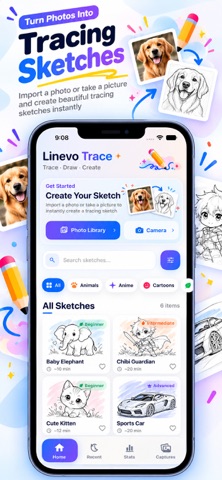
Linevo Trace turns any image into a beautiful, traceable guide — helping you create art on real paper with your device's camera, or directly on screen.
Whether you're a beginner learning the fundamentals or an experienced artist exploring new styles, Linevo Trace gives you the tools to bring your ideas to life with precision and ease.
HOW IT WORKS
◆ Camera Mode Place your device on a stand, point the camera at your paper, and see the reference guide overlaid in real time. Follow the lines to create your art with confidence — right on real paper.
◆ Screen Mode Set your screen to full brightness and place paper directly over the display. The guide shines through so you can trace beautiful creations onto any sheet.
FEATURES
◆ Rich Template Catalog Browse 100+ handcrafted templates across 6 categories — Animals, Anime, Cartoons, Nature, Aesthetic, and Tattoos. Each template is carefully processed for clear, crisp reference lines.
◆ Import Your Own Images Use any photo from your library or capture a new one with your camera. Linevo Trace automatically converts it into a clean, paper-ready reference guide.
◆ Adjustable Reference Guides Pinch, drag, and resize your reference to fit perfectly on your paper. Adjust opacity and line intensity for the ideal tracing experience.
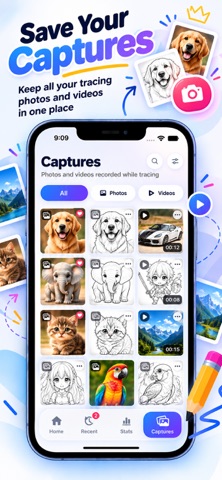
◆ Capture Your Creations Take photos or record videos of your creative process. Save your finished work directly to your photo library and share your progress.
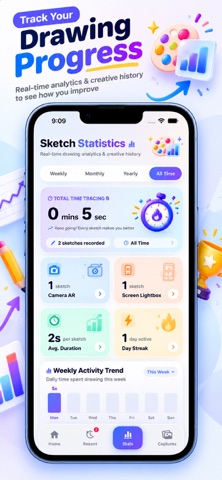
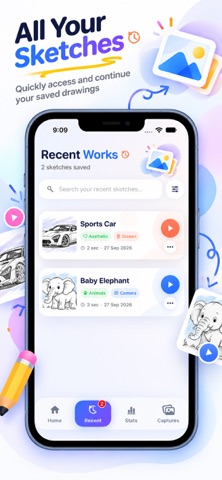
◆ Track Your Progress View your recent works, track time spent creating, and revisit completed projects. Your creative journey is always at your fingertips.
◆ Stats & Insights See how much time you've spent creating, how many projects you've completed, and track your growth as an artist.
People rate it
Sign in to rate this app. Honest is what counts.
No ratings yet. Tried it? Be the first to rate it.
More Games apps
Best new Games apps this week Connect 2: Card Game 2 ConnectConnect 2 is the conversation card game that makes people honest on purpose
 Ballpoint ArmyRemember drawing army men in the back of your school book?
 Chess Master vs AIPlay chess against a strong computer opponent, completely offline, in a sleek neon design
 ClayChonkMash soft clay with your fingers
 Sudoku by IbexoI just want to play sudoku
 SnookScoreVoice-controlled snooker scorekeeper - say the ball and it tracks the frame