
Pocket Director: Remote Camera
Ikke gjort krav påYour iPhone's best camera is the one on the back — the one pointing away from you
Af Ahlam Raffii · Foto og videoDerfor forventer vi det: A sharp hook and clearly explained remote monitoring make this a genuinely useful tool for solo creators.



Kort fortalt
Pocket Director: Remote Camera turns an iPhone's rear camera into a live feed that any browser on your Wi-Fi can display and control, with no app needed on the second device. It suits people filming themselves or performing, since it adds a scrolling teleprompter that appears only on the monitor screen and stays out of the recording. Light, colour and exposure can be set by hand and locked during a take.
Resumé fra Debuts, baseret på app-siden i App Store.Om appen
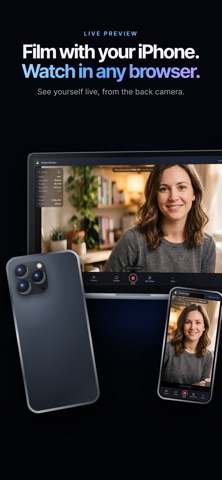
Your iPhone's best camera is the one on the back — the one pointing away from you. Pocket Director puts that picture on any other screen you own, and puts the controls there too.
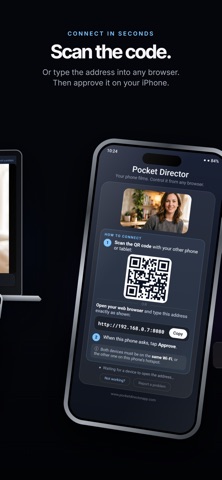
Open a browser on a laptop, tablet or spare phone, scan the code on the iPhone's screen, and you are watching yourself while you film. There is nothing to install on that second device. If it has a browser, it works.
FILM AND WATCH AT THE SAME TIME
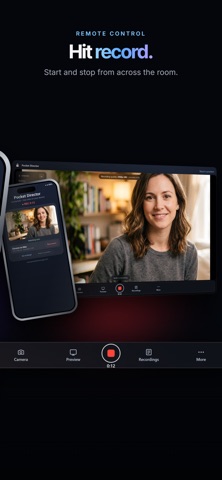
• A live view of what the camera sees, on any device on your Wi-Fi • Start and stop recording from across the room, with an optional 3, 5 or 10 second countdown • Elapsed time on screen, so you always know how long the take is • Tap anywhere on the picture to set focus there
CHECK THE TAKE WITHOUT WALKING BACK
• Open Recordings and every take is listed, with its size and when it was shot • Play any take back in the same browser window you are already watching in • Download one take, or all of them, to the device you are sitting at • Auto-download drops each take onto that device the moment you press stop • Delete a take you don't want, with a confirmation first
A PROMPTER ON THE MONITOR SCREEN
• Paste lyrics, a script or notes and they scroll while you film • Play, pause and a speed slider, so it moves at your pace • Drag it anywhere on the screen and resize it to suit your eyeline • It lives on the second screen only, and never appears in the recording • Your text and its position are remembered for next time
LIGHT AND COLOUR YOU CAN SET BY HAND
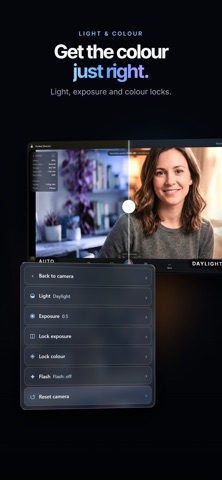
• Light: auto, plus presets such as daylight, cloudy, incandescent, fluorescent and shade • EV: brighten or darken the exposure yourself when auto gets it wrong • Lock exposure and lock colour, so the picture stops drifting mid-take • Flash on or off • Reset puts light, colour and EV back to automatic in one press
THE REST OF THE CAMERA
• Record in 720p, 1080p or 4K where your iPhone supports it — pick the quality before the take • Front or back camera • Zoom that is recorded into the file • Quality and camera side lock while a take is running, so nothing changes by accident
Brugernes bedømmelse
Log ind for at bedømme appen. Det vigtigste er, at du er ærlig.
Ingen bedømmelser endnu. Har du prøvet den? Giv den første bedømmelse.
Flere apps i kategorien Foto og video
De bedste nye apps i kategorien Foto og video denne uge Zoetrope ViewerWatch your zoetrope records and slipmats animate through your camera, or live on your…
 Migumento · QR photo albumOne album for every guest
- ScreenLux: Live Wallpapers 4KLive wallpapers for iPhone and 4K video wallpapers for Android
 Saint Studios - Video EditorSaint Studios is a professional video editor built for creators who want to get the most…
 Ashigrain: Film EmulationAshigrain gives your videos and photos the colour, grain and glow of motion picture and…
 AstrowetterIs tonight worth setting up for – and from when to when?