
TimeLapse Player
Ikke gjort krav påShooting timelapse means coming back with thousands of stills and no quick way to see…
Af Steven Oakley · Foto og video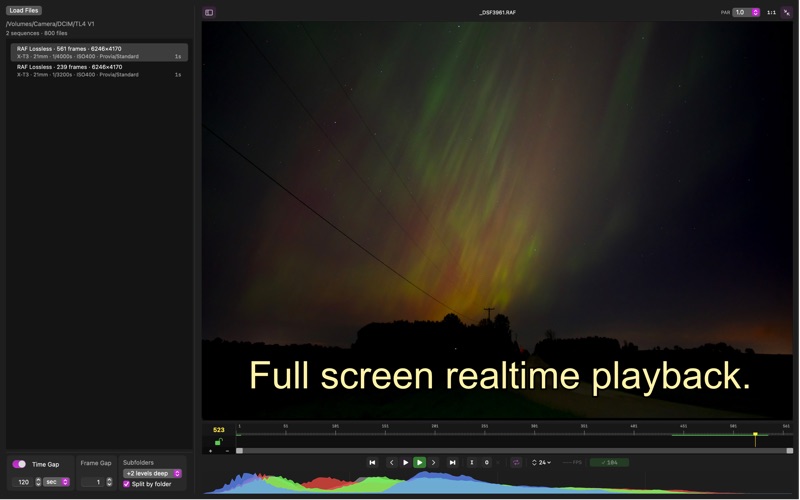

Kort fortalt
TimeLapse Player is a Mac app that sorts timelapse stills into sequences by name, folder, file type, date, and other metadata, then plays them back in real time at 6 to 30 fps. It supports many RAW formats as well as JPG and HEIC, and it runs entirely on the user's Mac with no account or upload. A standout detail is camera-matched color on load, so RAW files look closer to the camera's own JPG.
Resumé fra Debuts, baseret på app-siden i App Store.Om appen
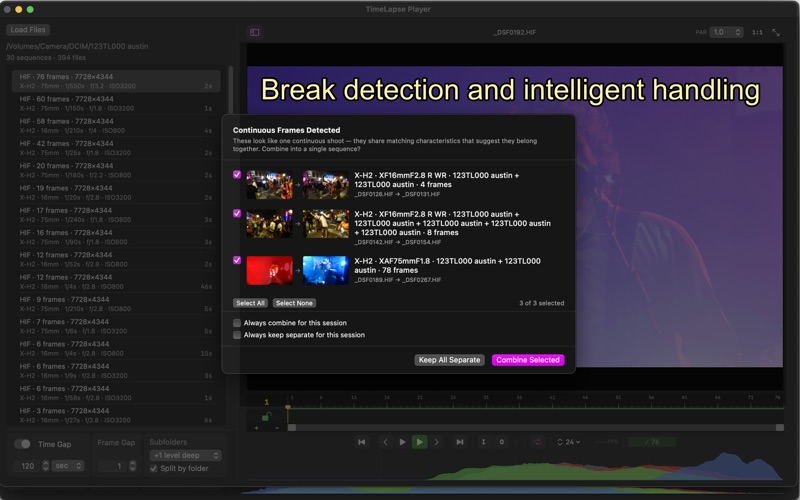
Shooting timelapse means coming back with thousands of stills and no quick way to see what you got. TimeLapse Player automagically sorts images into sequences by name, folder, file type, date and time and other metadata. A card with a thousands of images making up multiple shoots on it shows up as correctly sorted individual sequences. If your card and reader is fast enough, video plays straight from the card or drive. No sorting filed manually into folders, no conversion steps, no giant intermediate files, no launching an editing app. TimeLapse Player can also navigate and sort folders on local storage 2 levels deep and handle even larger unsorted image sequences.
Point TLP at a folder and hit play your sequences.
Playback is real time - user set from 6–30 fps on Apple Silicon. RAW formats are decoded on either the GPU when possible or in parallel on CPU. TLP dynamically allocates resources on the fly including the ability to allocate more ram if it becomes free due to other apps releasing it. The more performance cores and ram the faster TLP can go, adjustable in prefs for resource use.
A one-key full screen mode gives you the whole display, with the sequence list a click away.
Scrub, step frame by frame, set in and out points, loop, and watch. Live histogram. Camera-matched color on load means a CR3 and Fuji RAF look like the camera's own JPG instead of a flatter, dark decode.
Supported formats: virtually all RAW: CR3, ARW, SRF, RAF including compressed variants, DNG and more, JPG and HEIC / HIF.
Need to fix flicker, grade, remove lens distortion and export video? That's TimeLapse Forge, from the same developer. There's a link under the Help menu.
TimeLapse Player runs entirely on your Mac. Nothing is uploaded, and no account is needed.
Brugernes bedømmelse
Log ind for at bedømme appen. Det vigtigste er, at du er ærlig.
Ingen bedømmelser endnu. Har du prøvet den? Giv den første bedømmelse.
Flere apps i kategorien Foto og video
De bedste nye apps i kategorien Foto og video denne uge Zoetrope ViewerWatch your zoetrope records and slipmats animate through your camera, or live on your…
 Migumento · QR photo albumOne album for every guest
- ScreenLux: Live Wallpapers 4KLive wallpapers for iPhone and 4K video wallpapers for Android
 SwipeshineSwipeshine turns photo cleanup into one gesture
 Pocket Film: Vintage CameraPocket Film turns your phone into the back of a real film camera
 PlanIt Earth: VR Photo PlannerFor landscape, travel, nature, cityscape, night, time-lapse, star-trail, Milky Way and…