
VideoBlur: Blur Faces & Logos
Ikke gjort krav påVideoBlur blurs whatever must stay private in your videos: faces, body parts, tattoos…
Af ROMAIN LAPICARDISE · Foto og videoDerfor forventer vi det: Clear privacy value, careful on-device processing and quality-preserving export make this a well-crafted, promising debut.



Kort fortalt
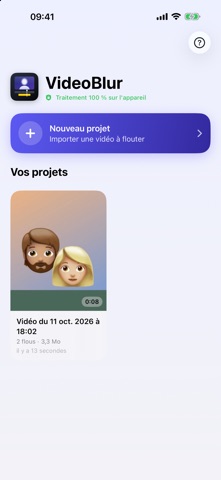
VideoBlur: Blur Faces & Logos lets users blur faces, body parts, tattoos, logos, and license plates in videos, with automatic tracking that follows targets across frames. It is aimed at people who need to hide private details in footage on iPhone and iPad. Processing happens on the device, and the app keeps the original codec, resolution, HDR, and audio quality.
Resumé fra Debuts, baseret på app-siden i App Store.Om appen
VideoBlur blurs whatever must stay private in your videos: faces, body parts, tattoos, logos, branded clothing, license plates… with automatic tracking and a result that keeps the quality of the original.
PLACE IT, TRACKING DOES THE REST Put a blur at a few keyframes: VideoBlur automatically follows faces and body parts (arm, leg, torso, tattoo…) throughout the video, facing the camera, in profile or from behind. For a logo, a piece of clothing or any other object, simply place keyframes and VideoBlur smooths the motion between them. Your manual keyframes always take priority.
PRECISE, FRAME BY FRAME • Scrubbable timeline with thumbnails, zoom and ±1 frame buttons • Adjustable blur ellipse: size, width, height, rotation, intensity and soft edges • Several targets in the same video, one track per person or object • Undo / redo and automatic saving
SAFETY FIRST When tracking is unsure, VideoBlur enlarges the blur rather than risk showing what should be hidden, and flags the uncertain area in colour on the timeline so you can check it.
NO QUALITY LOSS • Same codec, resolution and timestamps as the source video • HDR and 10-bit preserved • Audio copied without re-encoding • Capture date and location kept in Photos
YOUR VIDEOS STAY WITH YOU Everything is processed right on your device. No video is ever sent to a server, and no account is needed.
Works on iPhone and iPad.
Brugernes bedømmelse
Log ind for at bedømme appen. Det vigtigste er, at du er ærlig.
Ingen bedømmelser endnu. Har du prøvet den? Giv den første bedømmelse.
Flere apps i kategorien Foto og video
De bedste nye apps i kategorien Foto og video denne uge Zoetrope ViewerWatch your zoetrope records and slipmats animate through your camera, or live on your…
 Migumento · QR photo albumOne album for every guest
- ScreenLux: Live Wallpapers 4KLive wallpapers for iPhone and 4K video wallpapers for Android
 IROZOUIROZOU is a color workspace made for designers: fashion, textile, graphic and product…
 SwipeshineSwipeshine turns photo cleanup into one gesture
 Pocket Film: Vintage CameraPocket Film turns your phone into the back of a real film camera