
Everkept: Old Photo Scanner
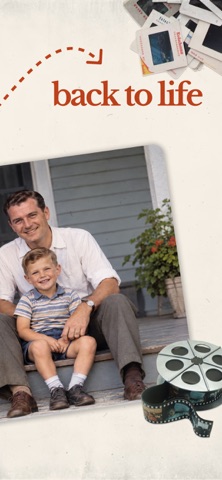
Nicht beanspruchtBring your family's old photos back to life
Von PEMAC LLC · Foto und Video




Kurz gesagt
Everkept: Old Photo Scanner scans printed photos, albums, slides and negatives on an iPhone, crops and straightens each image, and offers restoration tools such as colorizing black and white photos and sharpening faces. It is aimed at families who want to preserve old pictures and their stories. One notable feature is that each photo can carry a recorded voice story and be searched by name, place or year.
Zusammenfassung von Debuts, basierend auf dem Eintrag im App Store.Info
Bring your family's old photos back to life.
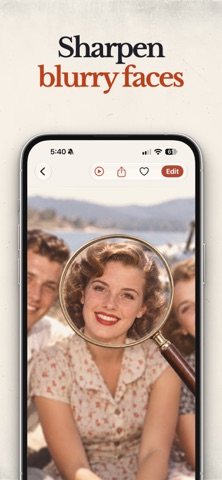
Everkept is the easiest way to save printed photos, albums, slides and negatives before they fade - and to restore them so they look the way you remember. Point your iPhone at an album page and Everkept finds every photo, crops it, straightens it and saves it. Then, with a tap, sharpen blurry faces and bring back natural color.
Download free and try every feature with a free trial.
SCAN A WHOLE ALBUM PAGE IN ONE SHOT • Scan several photos at once - each one is cropped automatically • Straightens crooked photos and turns sideways ones the right way up • Slides and negatives turn into bright, positive photos • Letters, recipes, certificates and kids' artwork too • Import photos you already have on your iPhone
RESTORE & BRING MEMORIES BACK TO LIFE • Colorize black & white photos with natural, lifelike color • Sharpen blurry faces so every smile is clear again • Repair scratches, tears, stains and fading • Bring to Life: watch a loved one gently smile and blink • One-tap Auto Enhance and faded-color restore • Your original scan is always kept - every change can be undone
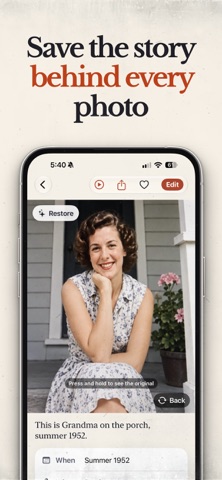
KEEP THE STORIES, NOT JUST THE PICTURES • Add the story behind each photo, plus the date and place • Record the story in your own voice • Scan the back of a photo - handwriting and all - and keep it attached • Tag family members and see all their photos in one place • Search by name, place, year or story
SHARE WITH THE WHOLE FAMILY • Share photos or whole albums by text, email and more • Create a printable photo book (PDF) from any album • Print directly from your iPhone • Save full-resolution copies to your Photos library
PRIVATE BY DESIGN Your photos stay on your iPhone. When you choose an AI restoration, you're asked first, and a copy is processed securely only to create your result. It's never used to train AI.
EVERKEPT PREMIUM Free accounts can scan and keep up to 10 photos and try 2 restorations. Premium unlocks: • Unlimited scanning and saving • Colorize, Sharpen Faces, Repair and Bring to Life (generous monthly allowance) • Slides and negatives scanning • Full-resolution sharing with no watermark • Printable photo books
Choose yearly, monthly, or a one-time Lifetime purchase. Payment is charged to your Apple ID at confirmation of purchase. If you start a free trial, you won't be charged until it ends, and we'll remind you the day before. Subscriptions renew automatically unless cancelled at least 24 hours before the end of the current period. Manage or cancel anytime in Settings › Apple ID › Subscriptions.
Terms of Use: https://pemac.info/tos Privacy Policy: https://pemac.info/privacy
Nutzer bewerten sie
Melde dich an, um diese App zu bewerten. Ehrlichkeit zählt.
Noch keine Bewertungen. Hast du die App ausprobiert? Gib die erste Bewertung ab.
Mehr Foto und Video-Apps
Die besten neuen Foto und Video-Apps dieser Woche Zoetrope ViewerWatch your zoetrope records and slipmats animate through your camera, or live on your…
 Migumento · QR photo albumOne album for every guest
 SwipeshineSwipeshine turns photo cleanup into one gesture
 Pocket Film: Vintage CameraPocket Film turns your phone into the back of a real film camera
 PlanIt Earth: VR Photo PlannerFor landscape, travel, nature, cityscape, night, time-lapse, star-trail, Milky Way and…
 TonalierYour photos now have an editor