
VideoX AI Video Editor Maker
Non revendiquéeCut yourself out of any video — no green screen needed
Par Adel Hassani · Photo et vidéoPourquoi nous l'attendons : Clear on-device AI editing for short-form creators, with no uploads and a one-time Pro purchase, makes a compelling pitch.


En bref
VideoX AI Video Editor Maker is a mobile video editor that runs entirely on the phone, offering AI background removal, motion tracking, speed ramps and multi-layer editing with up to 4K export. It is aimed at creators making short-form videos for TikTok, Reels, Shorts and YouTube. One notable point is that Pro is offered as a one-time lifetime purchase, with monthly plans also available.
Résumé par Debuts, d'après la fiche de l'App Store.À propos
Cut yourself out of any video — no green screen needed. Track motion and pin text or graphics to anything that moves. Ramp into buttery slow-motion. It all runs on your phone: no uploads, no render queue, no waiting.
Built for creators making TikToks, Reels, Shorts and YouTube videos who got tired of editors that lag, crash, or hide everything behind a subscription.
AI THAT ACTUALLY RUNS ON YOUR PHONE • AI Background Removal — isolate people and objects instantly, no green screen • Tap-to-Cut — touch any object and the app cuts it out for you • Motion Tracking — lock text, stickers or effects onto a moving subject • Depth Maps — real 3D depth from flat video for fog, focus and parallax • Chroma Key — classic green screen when you want it
REAL EDITING TOOLS • Keyframe animation on position, scale, rotation and opacity • Speed ramps with custom curves — smooth slow-motion and hyperlapse • Multi-layer picture-in-picture with blend modes and opacity • Masks, adjustment layers and null layers for rigging complex shots • Transitions, crop, trim, split and merge
COLOR & EFFECTS • Color grading and filters you can stack and keyframe • Cinematic effects — bloom, glitch, anamorphic lens flares, chromatic aberration • Animated text with effects, fonts and full transform control
AUDIO • Draw your own volume curves and fades, accurate to the millisecond • Pull audio out of any clip, import your own tracks, mix them together
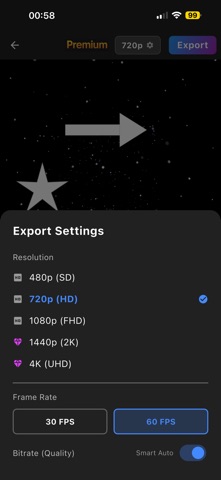
SPEED • Scrub the timeline with no lag and see effects update instantly • Hardware-accelerated 4K export
YOUR FILES STAY YOURS Editing happens on your device. No sketchy permissions, no uploading your footage to someone's server to get a background removed.
PRO WITHOUT A SUBSCRIPTION Pro is available as a one-time lifetime purchase — buy it once, keep it. Monthly plans exist if you prefer, but you never have to subscribe.
Ultra adds auto-captions.
WHAT PEOPLE MAKE WITH IT Velocity edits • anime edits • gaming montages • vlogs • music videos • sports edits • tutorials • product ads
Speed ramps and motion tracking are what most "how did they do that" edits are actually made of. Both are in here, and both are usable on day one.
Les notes des utilisateurs
Connecte-toi pour noter cette appli. Ce qui compte, c'est d'être honnête.
Pas encore de notes. Tu l'as essayée ? Sois le premier à la noter.
Plus d'apps Photo et vidéo
Les meilleures nouvelles apps Photo et vidéo de la semaine Zoetrope ViewerWatch your zoetrope records and slipmats animate through your camera, or live on your…
 Migumento · QR photo albumOne album for every guest
- ScreenLux: Live Wallpapers 4KLive wallpapers for iPhone and 4K video wallpapers for Android
 SwipeshineSwipeshine turns photo cleanup into one gesture
 Pocket Film: Vintage CameraPocket Film turns your phone into the back of a real film camera
 PlanIt Earth: VR Photo PlannerFor landscape, travel, nature, cityscape, night, time-lapse, star-trail, Milky Way and…