
LivePaper — Live Wallpapers
Non rivendicataYour Lock Screen doesn't have to sit still
Di Ibrahim Hammoud · Foto e videoPerché ce lo aspettiamo: Its clear steps, honest note about iOS limits, and privacy-first design make this a promising Lock Screen tool.




In breve
LivePaper - Live Wallpapers turns a short video, up to 2.5 seconds, into a Live Photo saved to your Photos library, with a cover photo chosen as the still image on the Lock Screen. It is for iPhone users who want a moving Lock Screen wallpaper, and everything runs on the device with no account or tracking. One thing that stands out: iOS requires the wallpaper to be set manually, and the app walks you through those steps on screen.
Riepilogo di Debuts, basato sulla scheda dell'App Store.Informazioni
Your Lock Screen doesn't have to sit still.
LivePaper turns a short video you already love — a beach sunset, a puppy's first steps, a goal at the big game — into a Live Photo that moves every time you touch and hold your Lock Screen.
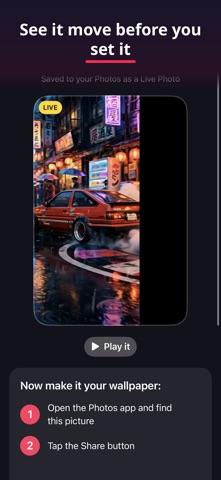
HOW IT WORKS 1. Pick a video from your Photos. 2. Trim up to 2.5 seconds and choose your cover photo — the still moment your Lock Screen shows. 3. Tap "Make Live Photo." LivePaper saves it straight to your Photos as a real Live Photo.
Then set it in a few taps: open the photo in Photos, tap Share, tap "Use as Wallpaper," tap the Live Photo icon so it says "Live Photo," and choose "Set as Wallpaper Pair." LivePaper walks you through every step on screen, and the built-in Help & Contact screen has the same steps, plus what to try if a wallpaper ever looks still.
WHY LIVEPAPER • Made for the Lock Screen — LivePaper prepares your clip so the motion plays the way a wallpaper should, and your cover photo is the moment it settles on. • A real Live Photo — it lives in your Photos library with the LIVE badge, you can play it right in the app before you set it, and it works anywhere Live Photos work. • Private by design — everything happens on your iPhone. No account, no sign-up, no ads, no tracking, and your videos never leave your device. • Friendly help — tap Help & Contact any time. A real person reads every email.
One honest note: iOS doesn't let any app set your wallpaper for you — that's an Apple rule, not a LivePaper limit. LivePaper makes the Live Photo and shows you exactly how to set it. It takes under a minute.
Made by Matsuri Games.
Le valutazioni delle persone
Accedi per valutare questa app. Conta essere sinceri.
Ancora nessuna valutazione. L'hai provata? Sii il primo a valutarla.
Altre app di Foto e video
Le migliori nuove app di Foto e video di questa settimana Zoetrope ViewerWatch your zoetrope records and slipmats animate through your camera, or live on your…
 Migumento · QR photo albumOne album for every guest
- ScreenLux: Live Wallpapers 4KLive wallpapers for iPhone and 4K video wallpapers for Android
 Saint Studios - Video EditorSaint Studios is a professional video editor built for creators who want to get the most…
 Ashigrain: Film EmulationAshigrain gives your videos and photos the colour, grain and glow of motion picture and…
 AstrowetterIs tonight worth setting up for – and from when to when?