
App Blocker — Hold
Ikke hentetHold blocks the apps you choose, on a schedule or the moment you decide
Av Ali Nawaz · Helse og trening

Kort fortalt
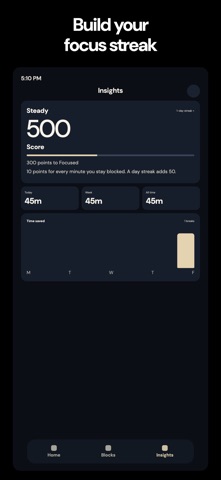
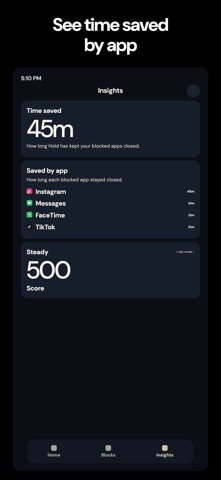
App Blocker, Hold blocks the apps you choose, either on a repeating schedule or immediately with a timer you set. When a blocked app opens, a block screen appears, and optional breaks or a weekly emergency pass can be used. The app uses Apple Screen Time, and the chosen apps stay on the iPhone.
Sammendrag fra Debuts, basert på oppføringen i App Store.Om appen
Hold blocks the apps you choose, on a schedule or the moment you decide.
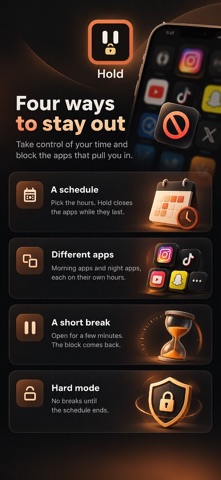
Pick the days and the hours. When one of those apps opens, Hold puts a block screen in front of it. If breaks are allowed, you wait, then choose how long to step away from the block. In hard mode there are no breaks until the block ends. One emergency pass each week opens your apps for an hour.
• Block now, for a timer you set • A repeating schedule for the days and hours you pick • Breaks you choose, or no breaks at all • Apps and sites, through Apple Screen Time • One emergency pass a week
The apps you pick stay on your iPhone. Hold uses Screen Time only to show the block.
https://everlinetechnologies.com/privacy-policy.html
Slik vurderer folk den
Logg inn for å vurdere denne appen. Det ærlige svaret teller.
Ingen vurderinger ennå. Har du prøvd den? Vær den første til å vurdere.
Flere Helse og trening-apper
Ukens beste nye Helse og trening-apper Orbit: Self-Care Habit TrackerYour healthy choices deserve more than a checkmark
 Wellbeing: Digital WellbeingBillions of people spend more time scrolling than they want to
 Nuchronic: Energy & SymptomsTrack your energy and symptoms in seconds
 Drrreong - Sleep RecorderWhat did your night sound like?
 Galim - Mood DiaryGalim ("waves" in Hebrew) is a calm, simple daily mood diary built for people living…
 Kuida+ Rotina de SaúdeKuida+ helps you take care of your health and the health of the people you love…