
Craftive
Niet geclaimdSome photos bring you right back to the moment you took them
Door 康安 冉 · Foto en videoWaarom we dit verwachten: Clear, well-described photo finishing tools with no sign-up or ads make it a promising free pick.

Kort samengevat
Craftive is a photo and video app for adding frames, watermarks, collages, and grid splits to pictures, with reference-based color matching and support for Live Photos. It suits people who want to give a set of favorite or everyday shots a considered finish. Processing happens on the device, and no sign-up is needed.
Samenvatting door Debuts, gebaseerd op de vermelding in de App Store.Over deze app
Some photos bring you right back to the moment you took them.
Craftive helps you give those photos a considered finish, with frames, watermarks, collages, photo splitting, and reference-based color matching. It also supports video and Live Photos. Take a little time with a favorite shot or a few everyday snapshots, and make something you'll want to come back to.
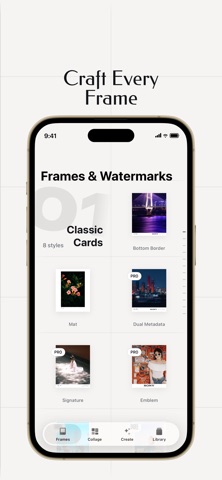
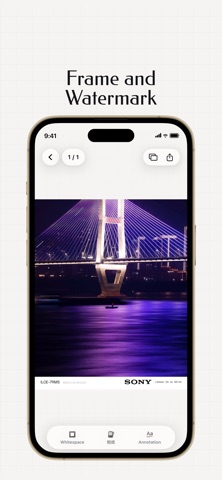
Frames and watermarks Choose clean white borders, filmstrip edges, photo-paper frames, or gallery-style mounts. Add text watermarks, your camera model, and shooting settings in supported templates to keep your signature and photographic details with the image.
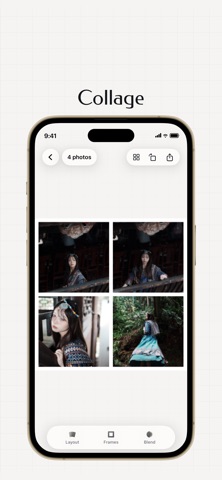
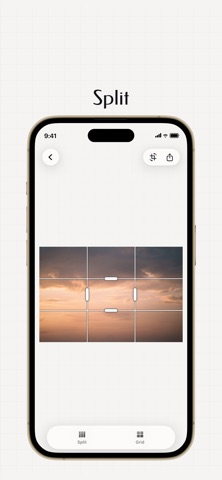
Collages and photo splitting Arrange photos in side-by-side layouts or travel collages to bring a series together on one page. Split a single photo into a grid or strips, then save or share each piece as a separate image.
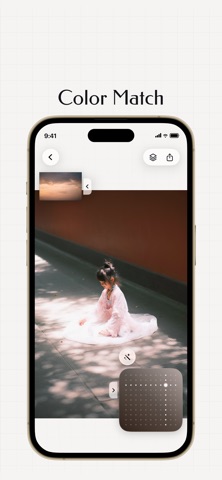
Reference-based color matching Use a reference photo as a starting point for the tones and colors of your own image. Or apply a built-in look to explore a more consistent palette across a series.
Video and Live Photos Add frames to videos and Live Photos or combine them in collages using compatible templates. Extract still frames from video, turn a short clip into a Live Photo, or convert a Live Photo to video. Save Live Photo creations as Live Photos; sharing to other apps uses video.
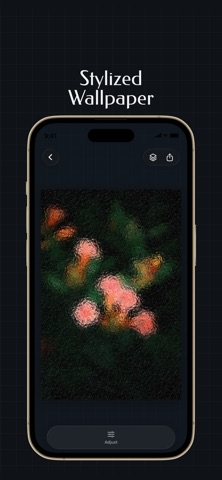
Creative wallpapers Explore glass textures, grain, pixel-stretch effects, and multiple exposures to create personal wallpapers or stylized images from your photos.
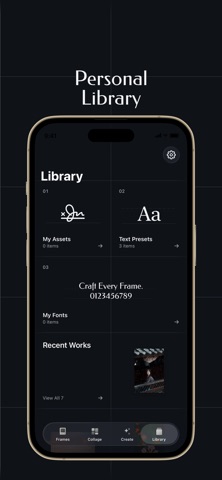
Fonts and export Import your own fonts for free to use in supported text areas. Choose from the available export formats and quality settings, then save to Photos or share. Creations successfully saved to Photos also appear in Craftive for easy browsing.
Space to create No sign-up, no ads, and no required Craftive watermark. Photo processing happens on your iPhone or iPad. We do not upload your photos to our servers.
Basic templates, photo splitting, and font import are free. You can edit and preview reference-based color matches for free; saving and sharing the results requires Craftive Pro.
Craftive Pro • Access all released templates and styles • Save and share reference-based color matches • Save and apply your own color looks, and export LUTs • Save framed photos and color-matched photos in batches • Import and use your own signatures, logos, and stickers
Purchase options • Monthly: auto-renews each month • Yearly: auto-renews each year, with a 7-day free trial for eligible users • Lifetime: pay once for permanent access to current and future Pro features
Zo beoordelen mensen de app
Log in om deze app te beoordelen. Eerlijk is wat telt.
Nog geen beoordelingen. Heb je de app geprobeerd? Beoordeel hem als eerste.
Meer apps in Foto en video
Beste nieuwe apps in Foto en video van deze week Zoetrope ViewerWatch your zoetrope records and slipmats animate through your camera, or live on your…
 Migumento · QR photo albumOne album for every guest
- ScreenLux: Live Wallpapers 4KLive wallpapers for iPhone and 4K video wallpapers for Android
 Saint Studios - Video EditorSaint Studios is a professional video editor built for creators who want to get the most…
 Ashigrain: Film EmulationAshigrain gives your videos and photos the colour, grain and glow of motion picture and…
 AstrowetterIs tonight worth setting up for – and from when to when?