
Ajar: Hinge Angle
NieodebranaYour iPhone folds
Twórca: Dylan Maryk · NarzędziaDlaczego tak przewidujemy: A witty, private little utility with a clear hook, polished copy, and a fallback that welcomes everyone.


W skrócie
Ajar: Hinge Angle reads the hinge of a folding iPhone and shows its angle in degrees, live, with a side-view drawing of the fold. It suits anyone curious about their phone's hinge who wants a playful number on screen. It adds a short, often unflattering comment on each angle, generated on device, and works without an account, network, or ads.
Podsumowanie Debuts na podstawie karty aplikacji w App Store.O aplikacji
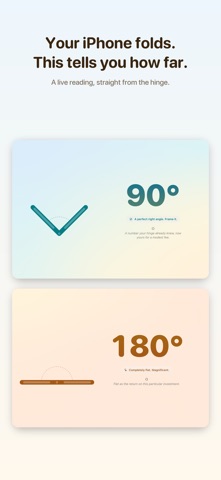
Your iPhone folds. Ajar tells you how far.
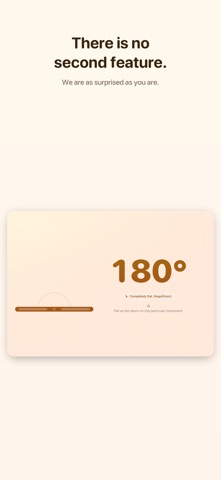
That is the whole app. One large number, live from the hinge, moving as you open and close. Underneath it, a single line of commentary about the angle you have settled on, which is rarely a compliment.
WHAT IT DOES
• Reads your folding iPhone's hinge angle and shows it in degrees, live • Draws the fold from the side, opening and closing along with the real thing • Shifts its colours as the hinge moves, from shut to completely flat • Makes a small fuss of the angles worth making a fuss of — 45°, a perfect right angle, laptop mode at 120°, reclined at 135°, the agony of 179°, and flat • Writes a fresh line of commentary on device using Apple Intelligence, so nothing you do leaves your iPhone — and where Apple Intelligence isn't offered, falls back to lines the app was built with, so there is always something unkind to read • Turns any angle into a share card, square or story shaped, for people who did not ask to see it
NO FOLDING IPHONE?
Then there is no hinge to read, and the app says so: the reading is labelled "Entirely made up" and you get a slider and a row of presets to set the angle yourself. Everything else works exactly the same. It is not the real thing. It is close enough.
WHAT IT DOES NOT DO
No account. No sign-in. No network. No adverts. No tracking. No analytics. No settings screen, because there is nothing to set. It reads the hinge, prints the number, says something unkind about it, and stops.
Built for iPhone, with VoiceOver labels throughout and a bit of haptic ceremony when the number lands somewhere tidy.
Oceny użytkowników
Zaloguj się, aby ocenić tę aplikację. Liczy się szczerość.
Brak ocen. Znasz tę aplikację? Oceń ją jako pierwszy.
Więcej aplikacji z kategorii Narzędzia
Najlepsze nowe aplikacje z kategorii Narzędzia w tym tygodniu Drainly: Speaker CleanerMuffled speaker after a splash, rain, or a sweaty workout?
 Photo & PDF Resize: KBFile too large to upload?
 Arvectum Proxy LauncherArvectum Proxy Launcher is a network utility that routes your iPhone through a proxy you…
 Look Twice: Scam & AI CheckLook twice before you click
 Vodoalarm: vodostaji BiHVodoalarm javlja kad tvoja rijeka naglo raste, pa ne moraš stalno gledati vodostaje
 Sift: Photo CleanupYour camera roll is full of blurry shots, old screenshots and videos you'll never watch…