
Nimu Cam: Manual Film Camera
Inget anspråk gjortA camera that gives the controls back to you, and 29 filters that were written rather…
Av Antonio De Moraes Barros Filho · Foto och videoDärför förväntar vi oss mycket av den: Clear manual controls, an honest note about the aperture, and 29 film-style filters make this a thoughtful debut for photographers.




Om appen
A camera that gives the controls back to you, and 29 filters that were written rather than bought in.
Most camera apps decide the picture for you. Nimu Cam hands you the three things a photographer actually holds: ISO, shutter speed, and focus. Then it lets you finish the frame with a film look that is already there in the viewfinder, before you press the shutter.
THE CONTROLS ARE REAL AUTO and MANUAL sit side by side at the top of the screen, one tap apart, so you can switch in the middle of a shoot. Shutter speed from 1/8000 to a full second, in the third stop a real camera uses. ISO you set and keep, so a whole series matches instead of drifting frame to frame. Focus you can set by hand and lock at a distance, so it stops hunting between shots. A light meter across the top shows how far your exposure sits from the camera's own reading, the way it does in a viewfinder. In automatic, the app still shows you the ISO and shutter the iPhone chose, which is the fastest way to learn what a camera is really doing.
ABOUT THE APERTURE An iPhone lens has a fixed aperture, built into the hardware, so no app can truly change it. The aperture dial here is marked SIMULATED: it recreates the exposure change an aperture would cause, so the exposure triangle behaves the way it does on a real camera. It cannot create the background blur of a fast lens. We would rather tell you that than pretend.
29 FILTERS Every look is a colour grade, a function that maps each colour to another, plus the physical side of film: grain, vignetting, bloom, halation, light leaks, dust and scratches, all sized to the picture so they look right on a phone screen and on a full-size file.
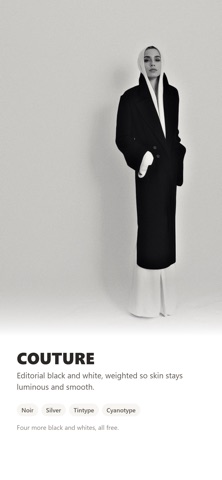
Editorial, for the magazine page: Atelier, clean editorial with cool shadows. Campaign, ad warmth with a matte finish. Porcelain, high-key beauty light. Couture, black and white with luminous skin. Chrome, cold gloss with teal shadows. Sable, warm luxury and browned blacks. Flash, direct flash street style. Mist, the diffusion glow. Cinema, amber skin against teal. Linen, natural film skin. Ash, muted minimalism. Bleach, bleach bypass.
Vintage, for the film that came before: Honey, Riviera, Instant, Sunday, Super 8, Postcard, Cross, Tungsten, Expired, Plastic, Digicam, Grit, Noir, Silver, Tintype and Cyanotype.
What separates these from a preset pack: the highlights are rolled off instead of clipped, the way a printed page has no pure white, and the colours around your subject are muted while skin keeps its warmth.
THE DARKROOM Photographs you already took, developed again. Open any picture from your library, try every filter with live previews, set how strong it should be, and hold the screen to compare with the original. Saving always writes a new photo, so your original is never touched.
FREE, WITH ONE HONEST LIMIT The camera, manual mode, the Darkroom and all 29 filters are free. No trial, no countdown, no ads. Free saves are up to 1600 pixels on the long edge and carry a small mark in the corner. Nimu Pro is one payment, kept for good, and changes exactly two things: photos save at full resolution, and the mark disappears. There is no subscription.
PRIVATE, AND OFFLINE No account, no sign in, nothing to join. Every filter runs on your phone's own chip, which is why the whole app works in airplane mode. No analytics, no tracking, no servers of ours. Your photographs stay on your phone unless you share them yourself.
WORTH KNOWING BEFORE YOU DOWNLOAD Photos are saved as high-quality JPEGs with their original EXIF, including the ISO and shutter speed you chose. RAW is not supported yet. Needs iOS 17 or later. Works on iPad, with a layout made for the bigger screen.
Så betygsätter folk den
Logga in för att betygsätta appen. Det ärliga betyget räknas.
Inga betyg ännu. Har du provat appen? Ge det första betyget.
Fler appar i kategorin Foto och video
Veckans bästa nya appar i kategorin Foto och video Zoetrope ViewerWatch your zoetrope records and slipmats animate through your camera, or live on your…
 Migumento · QR photo albumOne album for every guest
- ScreenLux: Live Wallpapers 4KLive wallpapers for iPhone and 4K video wallpapers for Android
 SwipeshineSwipeshine turns photo cleanup into one gesture
 Pocket Film: Vintage CameraPocket Film turns your phone into the back of a real film camera
 PlanIt Earth: VR Photo PlannerFor landscape, travel, nature, cityscape, night, time-lapse, star-trail, Milky Way and…