
Meshbar: Tailnet Monitor
Not claimedThe Tailscale admin console is where you configure a tailnet
By Dakabi LLC · UtilitiesWhy we expect it: Clear value for Tailscale users, with a careful description, honest scope and useful free features.


About
The Tailscale admin console is where you configure a tailnet. Meshbar is where you watch it.
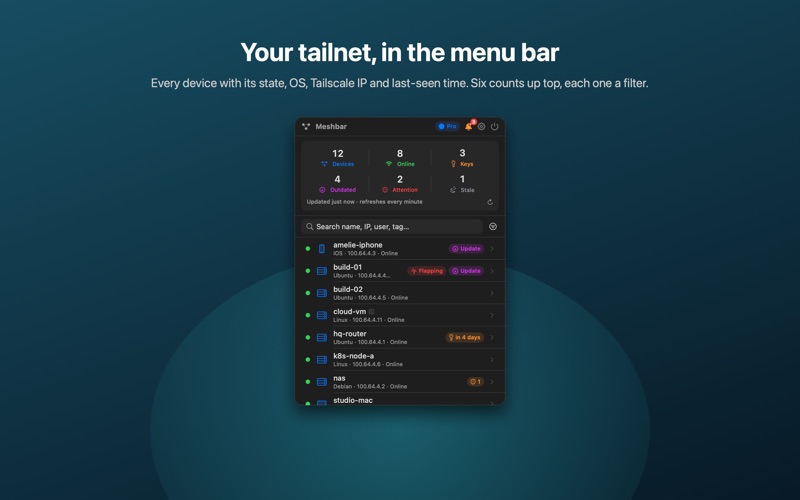
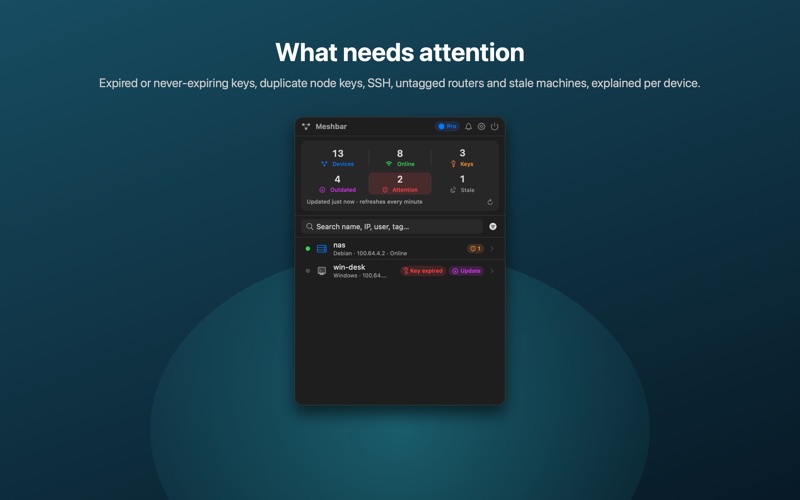
Meshbar lives in your Mac's menu bar and checks your tailnet every minute. The icon shows how many devices are online. Click it and every machine is there: online or offline, hostname, operating system, Tailscale IP and when it was last seen. Search by name, IP, user, tag, OS or version. Sort by status, last seen or key expiry. Filter to just the devices that need attention.
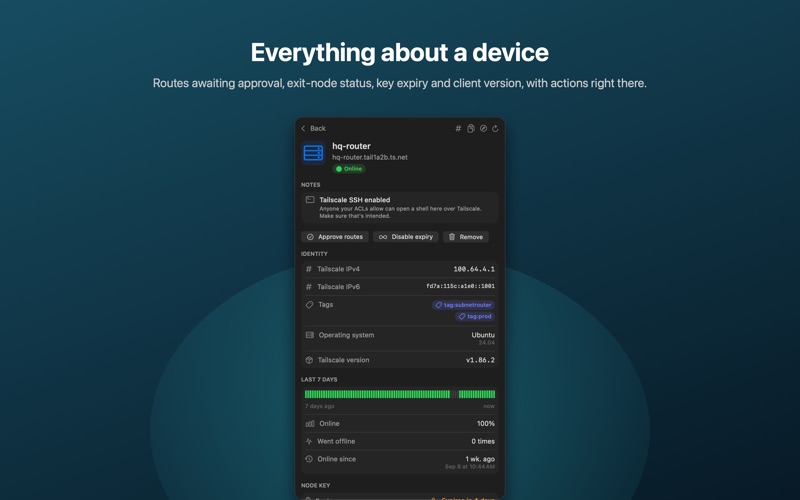
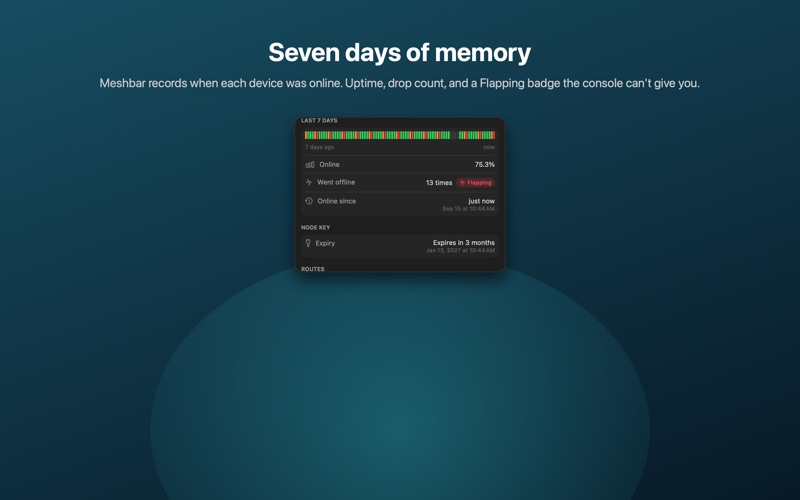
DEVICE DETAIL • User or tags, MagicDNS name, IPv4 and IPv6 • Client version, flagged when an update is available • Node key expiry date and state • Subnet routes with their approval state, and exit-node status • Tailscale SSH, last seen, date added, node ID • Warnings for duplicate node keys and tailnet-lock errors
DASHBOARD Total devices, online now, keys expiring within 7 days, outdated clients. Tap a tile to filter the list.
ALERTS (PRO) A macOS notification, and a badge in the menu bar, when: • a device goes offline • a node key will expire within 7 days • a new device joins the tailnet Each alert has its own switch. Key-expiry alerts are reported once, not every minute.
ACTIONS Free: copy the Tailscale IP, copy the MagicDNS name, open the device in the admin console. Pro: approve advertised routes and exit nodes, disable or re-enable key expiry, remove a device. Every change is confirmed first.
NOT A VPN Meshbar does not create, route or tunnel any network traffic and does not use the Network Extension framework. It is a read-and-manage client for the management API of a Tailscale network you already run, the same data you see in Tailscale's own web admin console. The Tailscale app itself is unchanged and not required on the Mac running Meshbar.
PRIVATE BY DESIGN Meshbar uses an API access key you create in your own Tailscale admin console, stored in the macOS Keychain. Requests go straight from your Mac to api.tailscale.com. There is no Meshbar server, no account, no analytics.
FREE AND PRO The device list, details, dashboard and copy actions are free. Alerts and the mutating actions unlock with a one-time Meshbar Pro purchase after a 7-day trial. No subscription.
Meshbar is an independent app and is not affiliated with or endorsed by Tailscale Inc. Tailscale is a trademark of Tailscale Inc.
People rate it
Sign in to rate this app. Honest is what counts.
No ratings yet. Tried it? Be the first to rate it.