
Shoreline: DO Cloud Monitor
Not claimedThe DigitalOcean console is where you build
By Dakabi LLC · UtilitiesWhy we expect it: Clear menu bar value for DigitalOcean users, backed by a thorough description and a well-explained free and Pro split.




About
The DigitalOcean console is where you build. Shoreline is where you watch.
Shoreline lives in your Mac's menu bar and checks your DigitalOcean team every minute. The icon shows how many droplets are running and turns red the moment one is off, archived or the account can't be reached. Click it and every droplet is there: status, name, region, size, public IP, tags and age. Search by name, IP, tag, region or image. Sort and filter to just what needs attention.
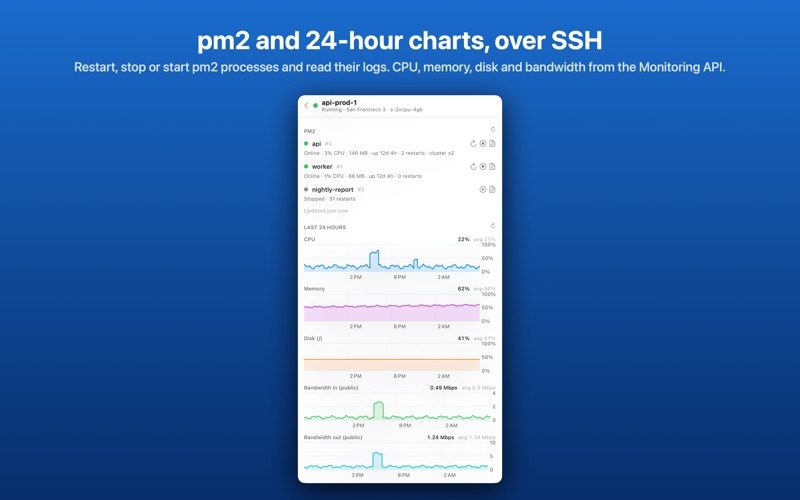
DROPLET DETAIL • Specs, price, image and created date • Public and private IPv4, IPv6, VPC, all one click to copy • Backups, next backup window, snapshots, attached volumes • Cloud firewalls and their rules • Last 24 hours of CPU, memory, disk and bandwidth (Pro)
ACTIONS Free: copy IP, open in the console, SSH (opens Terminal). Pro: reboot, power off, power on, take a snapshot, enable or disable backups. Every change is confirmed first and tracked to completion.
PM2 AND TERMINAL (PRO) Add an SSH key or password for the team and Shoreline shows every pm2 process on a droplet with status, CPU, memory, uptime and restarts. Restart, stop or start them, read the last log lines, or open a real terminal to the droplet in its own window.
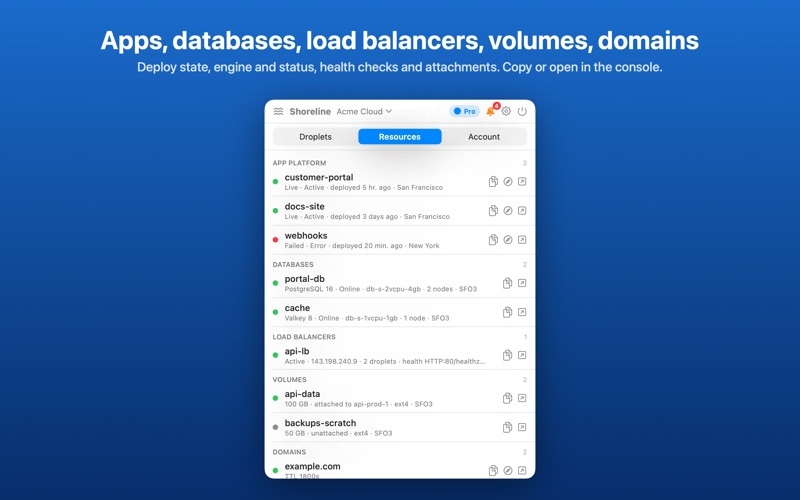
EVERYTHING ELSE, AT A GLANCE App Platform apps with deploy state and URL, managed databases, load balancers with health checks, volumes and domains. Each with copy and open-in-console.
ACCOUNT Month-to-date usage, balance and the next invoice estimate. A project selector scopes the lists to one project.
ALERTS (PRO) A macOS notification, and a badge in the menu bar, when: • a droplet turns off or is archived • an App Platform deploy fails • CPU stays above a threshold you choose for as long as you choose • month-to-date spend passes a limit you set DigitalOcean's own Monitoring alert policies are listed too.
STATUS A banner appears while status.digitalocean.com reports an incident.
PRIVATE BY DESIGN Shoreline uses a personal access token you create in your own DigitalOcean account, stored in the macOS Keychain. Requests go straight from your Mac to api.digitalocean.com. There is no Shoreline server, no account, no analytics.
FREE AND PRO One account, the droplet list, details, read-only resources and billing are free. Multiple accounts, actions, charts and alerts unlock with a one-time Shoreline Pro purchase. No subscription.
Shoreline is an independent app and is not affiliated with or endorsed by DigitalOcean, LLC. DigitalOcean is a trademark of DigitalOcean, LLC.
People rate it
Sign in to rate this app. Honest is what counts.
No ratings yet. Tried it? Be the first to rate it.