
ToVue: Virtual Drone Travel
Ikke gjort krav påExplore 3D maps with a virtual drone camera on iPhone and iPad
Af Kazuki Kuraya · RejserDerfor forventer vi det: The detailed description and clear controls make the virtual drone idea easy to understand and appealing.



Kort fortalt
ToVue: Virtual Drone Travel is a free iPhone and iPad app for exploring 3D Apple Maps with a virtual drone camera. Flight uses on-screen sticks or a single One-Hand stick, and the shutter captures the map without the controls. Ads are shown unless a one-time purchase is made, and the app never uses GPS.
Resumé fra Debuts, baseret på app-siden i App Store.Om appen
Explore 3D maps with a virtual drone camera on iPhone and iPad. Move through cities with on-screen sticks, or with one hand, and capture the map without the controls.
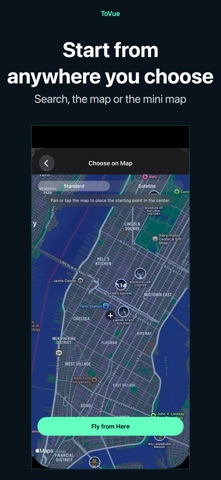
CHOOSE A PLACE • ToVue opens above a well-known station or capital chosen from your device's Region setting. It never uses GPS and never asks for your location. • Search for places, or pick a spot on a standard or satellite map, and start flying from there.
FLIGHT CONTROLS • Two on-screen sticks in a fixed Mode 2 layout: the left stick climbs, descends and turns; the right stick moves forward, back and sideways. • One-Hand Mode in the menu: a single stick. Touch it to fly forward, push up or down to climb or descend, and left or right to turn. • Pan, pinch, rotate and tilt the map directly. • A 3D tilt slider on the right edge tilts the view from straight down toward the horizon. You can hide it in the menu. • Adjust flight, climb and turn speeds in the menu. • Show or hide place and building labels.
CAPTURE AND SHARE • The shutter captures the map itself, without the controls. • Photos can show the place name, coordinates and altitude, or you can hide them for a cleaner image. • Share or save your photo from the preview right after capture. Apple Maps attribution always stays on the photo.
VIDEO AND MINI MAP • Switch between Photo and Video like the Camera app and record your flight as it happens. • Recordings show the map itself, without the controls. You can choose to include the sticks or the mini map. • Pick the frame rate and resolution in the menu. • A mini map in the top corner shows where you are and which way you face. Choose standard or satellite, and tap it to pick a new place on the map.
FREE, WITH A ONE-TIME UPGRADE ToVue is free and shows ads: a banner, plus an occasional full-screen ad right after you move to a new place (never while you are flying). A one-time in-app purchase removes all ads and the ToVue logo on photos and videos. It is not a subscription, and you can restore it on your other devices signed in with the same Apple Account.
GOOD TO KNOW • ToVue is a virtual viewer for fun and exploration. It does not control a real drone and is not a navigation or flight-planning tool. • Altitude is the height of the virtual camera, not a measured height above the ground. • 3D buildings and terrain come from Apple Maps and vary by area; some places are shown in less detail. • An internet connection is required. No account or sign-up needed.
Brugernes bedømmelse
Log ind for at bedømme appen. Det vigtigste er, at du er ærlig.
Ingen bedømmelser endnu. Har du prøvet den? Giv den første bedømmelse.
Flere apps i kategorien Rejser
De bedste nye apps i kategorien Rejser denne uge ItineroKeep your itinerary and travel details together before, during and after your trip
 HissiFür alle, die auf Aufzüge angewiesen sind: Rollstuhlfahrer:innen, Eltern mit…
 Leave the ResortLeave the Resort is the travel app that stops you getting ripped off
 Schengen Days: 90/180 PlannerJust enter your entry and exit dates
 Trova Treasure HuntsTurn a walk through the city into a treasure hunt
 LeaveTime — When to LeaveLeaveTime answers one question: what time do I need to leave to make my flight?