
Filmlume: Negative to Positive
Non revendiquéeYour 35mm and 120mm film negatives, turned into photos with the colour of a classic lab…
Par MARIUSZ MALISZEWSKI · Photo et vidéoPourquoi nous l'attendons : A thoughtful, well-described app with clear value for film photographers, detailed controls, and broad device support across iPhone, iPad and Mac.



En bref
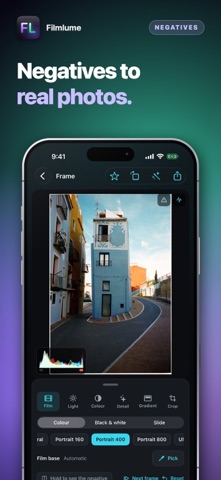
Filmlume: Negative to Positive turns photos of 35mm and 120mm film negatives or slides into finished positives at full resolution. It is aimed at people who scan film from a light source with any camera or an iPhone, and it uses a default lab-style colour setting. One feature that stands out is a dust tool that shows what it will remove before applying it and tries to leave long thin objects like wires untouched.
Résumé par Debuts, d'après la fiche de l'App Store.À propos
Your 35mm and 120mm film negatives, turned into photos with the colour of a classic lab scan. Photograph a roll on a light with any camera — a mirrorless on a copy stand, or your iPhone over an iPad showing white — bring the pictures in from Photos or Files, and every frame becomes a finished positive at full resolution.
CLASSIC LAB COLOUR • On by default: every frame balanced on its own, with dense blacks, warm skin and greens that lean teal — the look of the minilab scanners of the film years. Slides get the same lab look. Switch to Neutral for a flat scan to grade elsewhere.
READ LIKE A LAB SCANNER • The orange mask of colour negative divided out using the film's own base, each dye layer balanced between the frame's darkest and brightest detail. • RAW of any make, DNG, ProRAW, 16-bit TIFF, HEIC, JPEG and PNG at full size and bit depth; a 500 MB TIFF opens in a moment.
37 FILM LOOKS • Starting points in the spirit of colour, black-and-white and slide stocks, each our own model.
A TONE CURVE YOU DRAW, WITH POINTS • Touch the line to add a point, drag to bend the curve, double-tap to take it away. One curve for the whole picture and one each for red, green and blue.
DUST, TAKEN OUT WITH CARE • Small specks and dust disappear; long thin things — wires, railings, aerials, branches — stay where they are. See exactly what it removes first, and lower Size or Sensitivity if it takes too much.
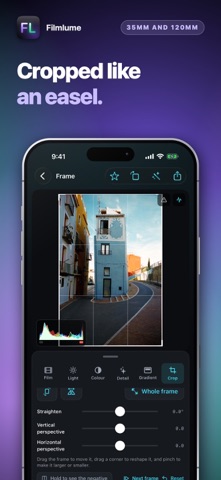
A PRINTER'S CONTROLS • Exposure, contrast, highlights, shadows, whites, blacks, warmth, tint, saturation and grain, live under your finger; a double tap returns a slider to zero. • Graduated and radial filters with their own light and colour, up to six on a frame. • C-41 colour balance like an enlarger's head, and a colour mixer (HSL) for eight colours. • Take the film base from the rebate, or tap something grey to balance exactly. • Crop to 3:2, 6×6, 6×7, 4:3, 16:9 or freely; rotate, mirror, straighten and square the perspective. Nothing is destroyed.
KEEP IT • Full resolution, always: 10-bit HEIF to Photos, a JPEG to share, or a 16-bit TIFF. • Rolls kept with their film; star the keepers and save them in one go. • Your photos, on film: print any picture in one of the film looks or in six CCD sensor looks. • Light table: a second device shows an even white light for the negative.
ANALOG, WHEN YOU WANT IT • Halation, light leaks from either edge, a print or film border on export; Pushed, Pulled, Expired and Cross Process presets. Nothing analog is added unless you add it.
SIRI AND SHORTCUTS • “New roll in Filmlume” and “Import negatives into Filmlume”, by voice or in Shortcuts.
A WORKSPACE THAT FILLS THE WINDOW • A dark workspace where colour is easy to judge, laid out for whatever window it is given: iPhone, iPad and iPhone Duo — folded, unfolded or on one half of the large screen. Fold the tools away to give the picture the whole window. Requires iOS 17 or later.
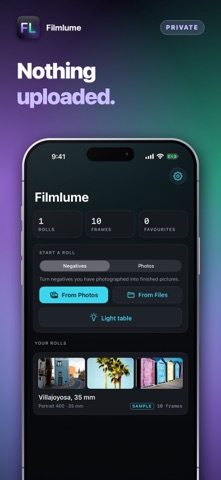
PRIVACY • No account and nothing uploaded: scans stay on your device until you save or share them.
Les notes des utilisateurs
Connecte-toi pour noter cette appli. Ce qui compte, c'est d'être honnête.
Pas encore de notes. Tu l'as essayée ? Sois le premier à la noter.
Plus d'apps Photo et vidéo
Les meilleures nouvelles apps Photo et vidéo de la semaine Zoetrope ViewerWatch your zoetrope records and slipmats animate through your camera, or live on your…
 PlanIt Earth: VR Photo PlannerFor landscape, travel, nature, cityscape, night, time-lapse, star-trail, Milky Way and…
 TonalierYour photos now have an editor
 Superblur: Mosaic & Blur FacesSuperblur hides faces, number plates, names and addresses in your photos and videos…
 SqizziKeep the memories
 Photo Widget: Crop & PositionShow your favorite photos on your Home Screen — exactly the way you want