
Scanner: PDF & Document Scan
Non revendiquéeScanner turns paper into clean PDFs with your phone camera
Par YOU SEUNGMIN · ProductivitéPourquoi nous l'attendons : The description clearly explains the value, offline privacy, and features that make scanning fast and reliable.




À propos
Scanner turns paper into clean PDFs with your phone camera. Point it at a page, and Scanner finds the edges, straightens the page and takes the picture when you hold still.
SCAN • Live edge detection outlines the page as you aim. • Automatic capture when the page is found and the phone is steady, or tap to scan yourself. • One page at a time, or many pages in a row. • Flash and light for dim rooms. • Import photos of documents you already took.
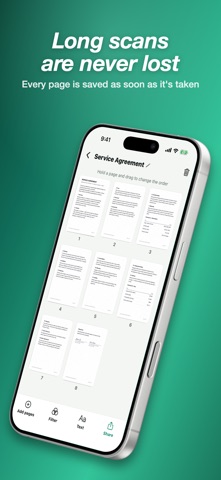
NEVER LOSE A PAGE Each page is saved the moment it is taken. If a call comes in or the app closes during a long scan, the pages you took are still there.
CLEAN PAGES • Tilted photos come out square with perspective correction. • The Clean filter removes shadows and whitens the paper. • Gray and black-and-white filters for crisp text. • Drag the corners to adjust a page, rotate it, or apply a filter to every page at once.
EXPORT AS PDF, JPG OR TEXT • PDFs with searchable, copyable text. • Small, medium or original file size. • Page size: same as the scan, A4 or Letter. • Text recognition reads the words on your pages so you can copy or share them. • Share to mail, messages and other apps, or save to Files.
ORGANIZE • Drag pages to reorder them, delete pages or add more. • Rename documents and search by name or by the text inside.
PRIVATE Scanning, cleaning and text recognition all happen on your phone. Nothing is uploaded, and no account is needed.
FREE WITH ADS, OR PREMIUM Scanner is free with ads, and there are no ads on the camera screen. Scanner Premium removes all ads. Choose a monthly subscription or a one-time lifetime purchase.
Privacy Policy: https://dsm0829.github.io/scanner-privacy/ Terms of Use: https://www.apple.com/legal/internet-services/itunes/dev/stdeula/
Les notes des utilisateurs
Connecte-toi pour noter cette appli. Ce qui compte, c'est d'être honnête.
Pas encore de notes. Tu l'as essayée ? Sois le premier à la noter.
Plus d'apps Productivité
Les meilleures nouvelles apps Productivité de la semaine ChickMark: Habit TrackerChickMark is a simple habit tracker for routines, goals, and reminders
 Dayflint: One Thing a DayToo many priorities?
 Snappy Do ItSix connected modes. One traceable journey.
 Fristo CAFMFristo is the app for Fristo CAFM, the facility management software
 UhWhat? Voice NotesCatch the thought before it disappears
- BeginAnywayMorning alarm for hard tasks: set one task, prove you started, build a streak