
Dynamic Wallpaper Maker
Non rivendicataTurn two images into one wallpaper for your Mac
Di Barron Crawford · Foto e videoPerché ce lo aspettiamo: Clear, focused utility with privacy-first local processing and a simple workflow that makes the value easy to grasp quickly.


In breve
Dynamic Wallpaper Maker turns two of your own images, one for the Light appearance and one for the Dark, into a single HEIC wallpaper for Mac. It processes images locally, does not copy source location or camera metadata into exports, and keeps your draft between sessions. The Light image sets the output size, and the Dark image is centered and may be cropped at its edges.
Riepilogo di Debuts, basato sulla scheda dell'App Store.Informazioni
Turn two images into one wallpaper for your Mac. Dynamic Wallpaper Maker gives your own photos and artwork a Light and a Dark appearance in a simple, compact workspace.
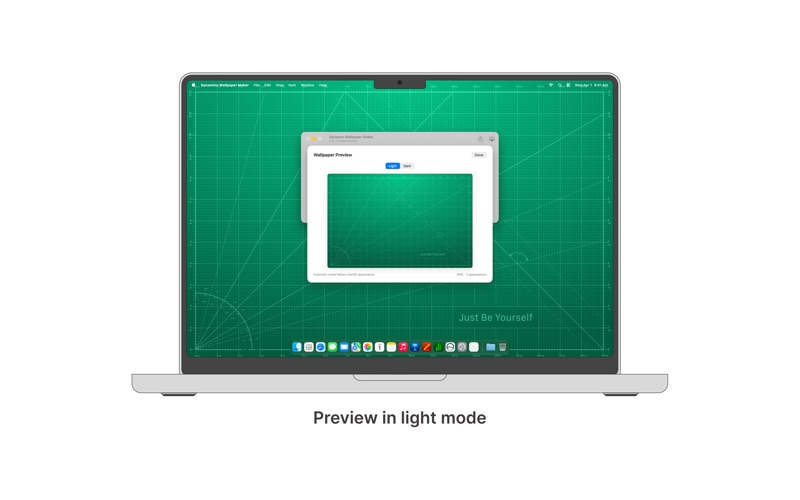
CHOOSE YOUR PAIR Drop an image into each side or choose files from your Mac. Import JPEG, PNG, HEIC, and HEIF images up to 20 MB each. Swap the pair with one click and preview both appearances before exporting.
EXPORT, SHARE, OR SET Save a single HEIC with File → Export Wallpaper, share it through macOS, or use Set as Wallpaper to save and apply it to the display containing the app window.
PICK UP WHERE YOU LEFT OFF Your current draft stays on your Mac for your next session. Undo changes, replace either image, and reconnect a source file if it becomes unavailable.
KEEP YOUR IMAGES LOCAL Images are processed on your Mac. Your original files stay unchanged, and exported wallpapers do not copy source location or camera metadata. There is no account, advertising, tracking, or automatic uploading.
The Light image determines the output size. The Dark image is centered to fill the same area, so different proportions may crop its edges. Use Preview to check the result.
macOS controls wallpaper appearance switching. After applying or adding the HEIC in System Settings → Wallpaper, choose Automatic if available. Support and wallpaper settings vary by macOS version.
Le valutazioni delle persone
Accedi per valutare questa app. Conta essere sinceri.
Ancora nessuna valutazione. L'hai provata? Sii il primo a valutarla.
Altre app di Foto e video
Le migliori nuove app di Foto e video di questa settimana Zoetrope ViewerWatch your zoetrope records and slipmats animate through your camera, or live on your…
 PlanIt Earth: VR Photo PlannerFor landscape, travel, nature, cityscape, night, time-lapse, star-trail, Milky Way and…
 TonalierYour photos now have an editor
 Superblur: Mosaic & Blur FacesSuperblur hides faces, number plates, names and addresses in your photos and videos…
 SqizziKeep the memories
 Photo Widget: Crop & PositionShow your favorite photos on your Home Screen — exactly the way you want