
TraceLock: Tracing Lightbox
Ikke hentetTurn your iPhone or iPad into a tracing lightbox: import an image, position it, lock the…
Av 帅 王 · Foto og video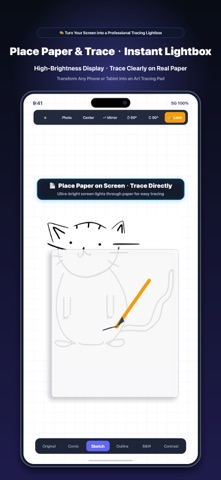


Kort fortalt
TraceLock: Tracing Lightbox turns an iPhone or iPad into a tracing lightbox. Users import a photo, convert it to outline or high-contrast styles, scale, rotate, or mirror it, then lock the screen so paper and palms do not shift the image. Its standout detail is that photo processing stays on the device, with no account, ads, or cloud uploads.
Sammendrag fra Debuts, basert på oppføringen i App Store.Om appen
Turn your iPhone or iPad into a tracing lightbox: import an image, position it, lock the screen against accidental touches, place paper on top, and trace.
TraceLock is intentionally focused. It solves one specific job with no account, no ads, and no cloud photo uploads.
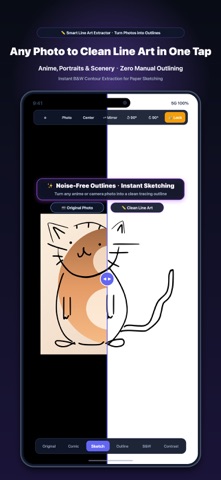
• Import an image from Photos • Convert it to sketch, outline, comic, black-and-white, or high contrast • Scale, move, rotate, and mirror it to fit your paper • Lock the canvas so paper and palms do not move the image • Keep the display awake and use full brightness while tracing • Hold for two seconds to unlock safely
Photo processing happens on your device. TraceLock does not collect personal data. Try every feature with total peace of mind.
Slik vurderer folk den
Logg inn for å vurdere denne appen. Det ærlige svaret teller.
Ingen vurderinger ennå. Har du prøvd den? Vær den første til å vurdere.
Flere Foto og video-apper
Ukens beste nye Foto og video-apper Zoetrope ViewerWatch your zoetrope records and slipmats animate through your camera, or live on your…
 Migumento · QR photo albumOne album for every guest
 PlanIt Earth: VR Photo PlannerFor landscape, travel, nature, cityscape, night, time-lapse, star-trail, Milky Way and…
 TonalierYour photos now have an editor
 Superblur: Mosaic & Blur FacesSuperblur hides faces, number plates, names and addresses in your photos and videos…
 SqizziKeep the memories