
Inkphonic: Image Sound Maker
Not claimedPaint a sound, hear its shape and take the WAV
By Gobling Company · Music and audioWhy we expect it: Inkphonic offers a clear, distinctive idea with careful technical detail, a one-time purchase, and useful exportable files for sound designers.



About
Paint a sound, hear its shape and take the WAV. Inkphonic makes short sounds from images and drawings on iPhone and iPad. One upfront purchase includes every tool. No subscription or account.
A VISUAL SOUND FIELD Open a single PNG/JPEG from Files or start drawing. Horizontal position becomes time. Vertical position becomes logarithmic frequency. Brighter pixels make louder sine bands. Paint, erase, undo the last 20 strokes in this session or reverse the drawing in time. The working field is 128 × 64; imported images are stretched to it and transparency is composited on black.
HEAR THE CURRENT EDIT Choose 0.5–8 seconds, an ordered 100–8000 Hz range, gamma, threshold and brightness inversion. Render the current field, inspect its actual waveform and audition the generated sound. Audio uses 64 continuous sine bands with linear amplitude interpolation across 128 time columns. Changes to the drawing or mapping clear the previous render.
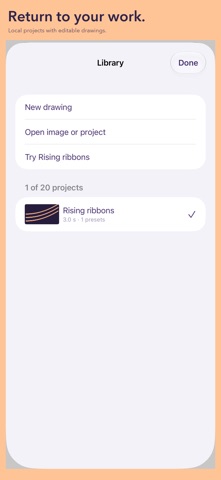
KEEP A USEFUL RECIPE Save up to 20 local named projects. Rename, duplicate, delete and reopen them after relaunch. Save up to 16 named mapping presets inside each project. First launch is empty; Rising ribbons is an optional drawing generated on your device. iPad places a tool rail beside a wide drawing field and an audition waveform beneath it.
ACTUAL FILES Share a ZIP or save it to Files: Sound.wav, Amplitude.png, Bands.csv, Inkphonic.json and Readme.txt. Imported-image projects also include the unchanged original PNG/JPEG. WAV is mono 48 kHz PCM16, normalized to −1 dBFS sample peak unless silent, with 10 ms edge fades. This is not true-peak limiting. Amplitude.png is the exact processed brightness field; CSV lists each band's frequency. JSON contains the editable raw field, mapping, presets and original image when imported. Import that JSON to restore an independent project.
KNOW THE SCOPE This synthesizes a new sound from visual brightness. It does not recover original audio from a spectrogram. No audio import, microphone recording, AUv3, MIDI, instrument plug-in or real-time processing. Images: single PNG/JPEG up to 16 MiB and 16 million pixels. JSON backups: up to 24 MiB. Saved projects together: up to 128 MiB. Freehand drawing needs touch; mapping controls are labelled for accessibility. Keep exported backups before deleting projects or uninstalling. Use material you own or have permission to process and share. Start playback at low media volume.
No ads, in-app purchases, analytics, tracking, networking or developer uploads. Projects stay on your device unless you choose to share. System device and iCloud backup settings may apply.
People rate it
Sign in to rate this app. Honest is what counts.
No ratings yet. Tried it? Be the first to rate it.